Why Vaiz matters for organizations
Many teams split work across messages, document files, task boards, and separate reports. Vaiz aims to bring that experience into one workspace so teams switch less and keep execution closer to context.
VAIZ REPRESENTATIVE
Vaiz is a work management platform for teams that brings tasks and documents together. Based on Vaiz's official positioning, it is designed as a simpler alternative to complex enterprise tools and scattered spreadsheets, with capabilities including projects, teams, an AI assistant, tasks, documents, Gantt charts, automation, dashboards, milestones, and boards.
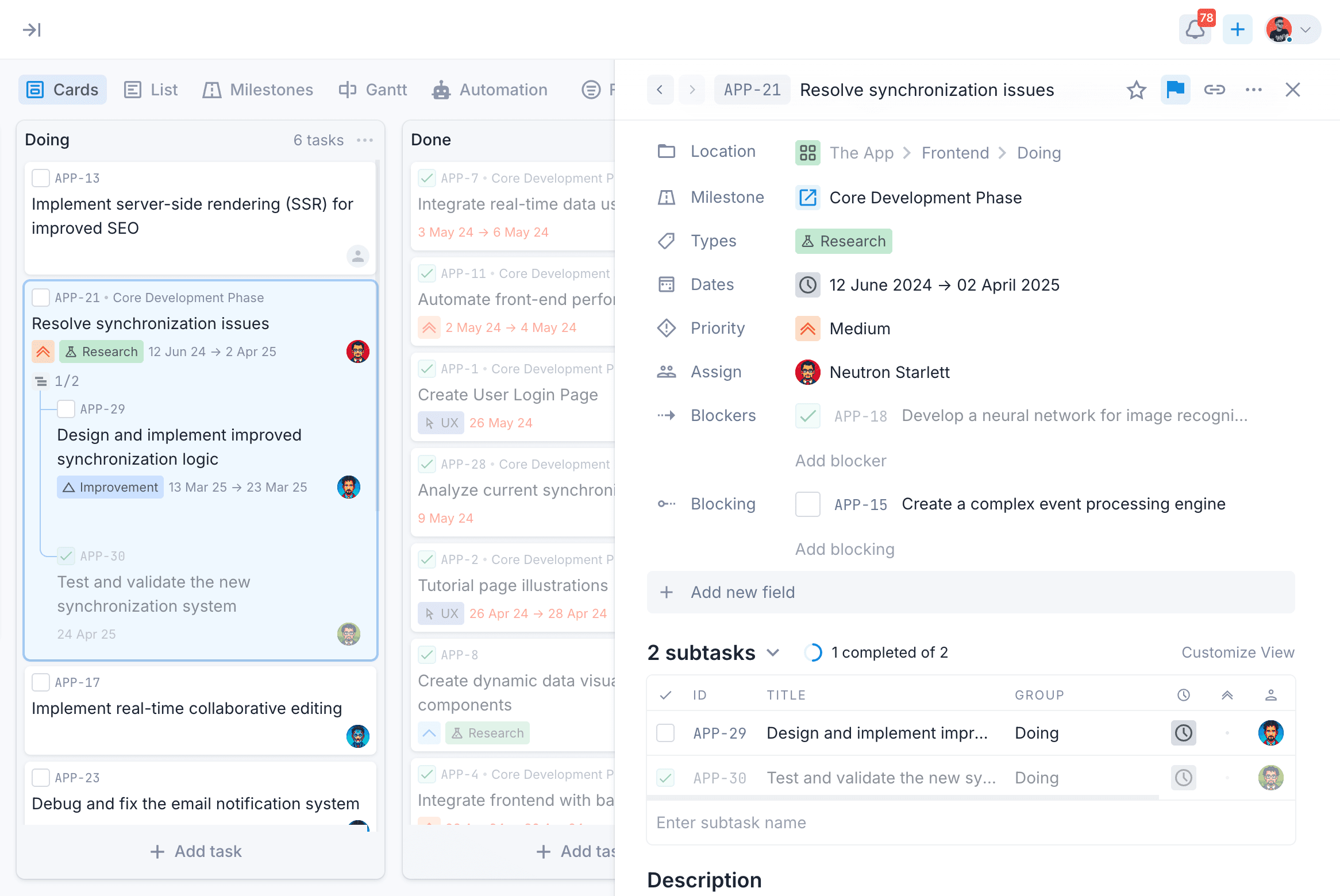
Many teams split work across messages, document files, task boards, and separate reports. Vaiz aims to bring that experience into one workspace so teams switch less and keep execution closer to context.
Arya can support needs assessment, workspace design, board and process setup, initial migration, and connecting Vaiz to the organization's operating workflow.
VAIZ
Manage work through filters, statuses, priorities, and multiple views that keep teams aligned.
Keep project documentation close to tasks so context stays connected to execution.
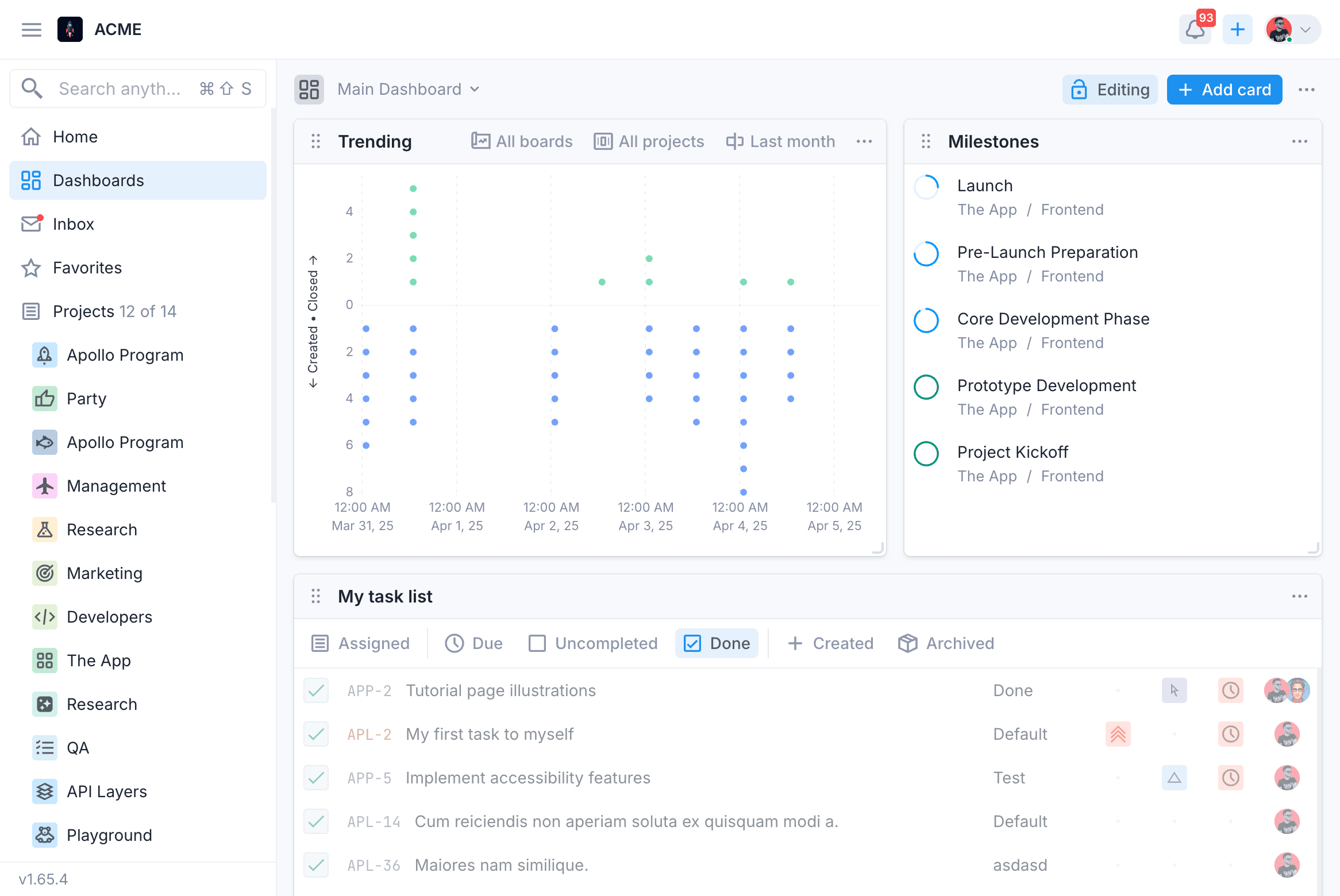
Show progress, metrics, and work status in one visible place.
Help structure work, automate routines, and reduce repetitive manual effort.
WORKSPACE
Vaiz brings tasks, projects, documents, and team activity into one environment so teams do not have to jump between separate tools to understand work status, context, and decisions.
TASKS
Vaiz describes Kanban boards with WIP limits, smart filters, and multiple views as core capabilities, making it easier to match the workspace to each team's real operating process.
MIGRATION
Vaiz offers templates for teams and frameworks such as Scrum, Kanban, OKR, RACI, and RAID, plus migration paths from tools including Jira, Asana, Trello, YouTrack, Notion, and Linear.
INTEGRATIONS
Vaiz's integrations page lists native connections and import routes including Slack, GitHub, GitLab, webhooks, the Python SDK, and Zapier-based connections to thousands of apps.
DASHBOARDS
Vaiz dashboards help teams review work status, progress signals, priorities, and items that need follow-up in one scannable view. This is especially useful for project managers, product teams, and operations teams that need regular reporting.
IMPLEMENTATION
Review current team processes, existing tools, project structures, roles, and operational pain points.
Define workspace structure, projects, boards, columns, fields, permissions, and the templates each team needs.
Import initial data from previous tools, train users, and activate the operating workflow inside Vaiz.
Connect Slack, GitHub, GitLab, Zapier, webhooks, or internal services when the organization needs deeper automation.